
How to Scrape Kmart Store Locations USA for Market Expansion and Competitor Analysis
Published on April 12, 2026
Introduction
In the ever-evolving retail landscape, understanding your competition and market opportunities is essential for growth. One of the most effective strategies for gaining actionable insights is through web scraping of store location data. For businesses aiming to enter or expand in the U.S. market, scraping Kmart store locations can provide vital geographic intelligence for competitor benchmarking, site selection, demographic targeting, and market saturation analysis.
This blog explores a complete guide to scraping Kmart store location data in the U.S., including the tools, techniques, legal considerations, and applications of the extracted information.
1. Why Scrape Kmart Store Locations?
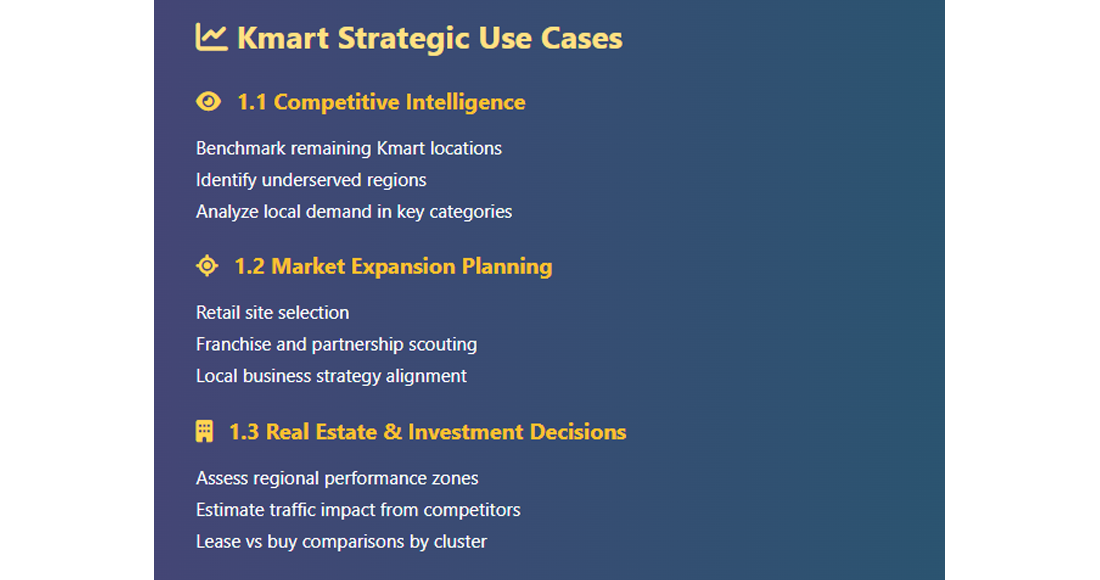
1.1 Competitive Intelligence
- Benchmark against Kmart’s remaining locations
- Identify underserved areas or regions of opportunity
- Spot local demand for certain categories like apparel or electronics
1.2 Market Expansion Planning
- Retail site planning
- Franchise opportunity scouting
- Local partnership decisions
1.3 Real Estate and Investment Decisions
- Assess regional performance potential
- Predict traffic impact from nearby retailers
- Compare store proximity for lease decisions
2. What Data Should You Extract?
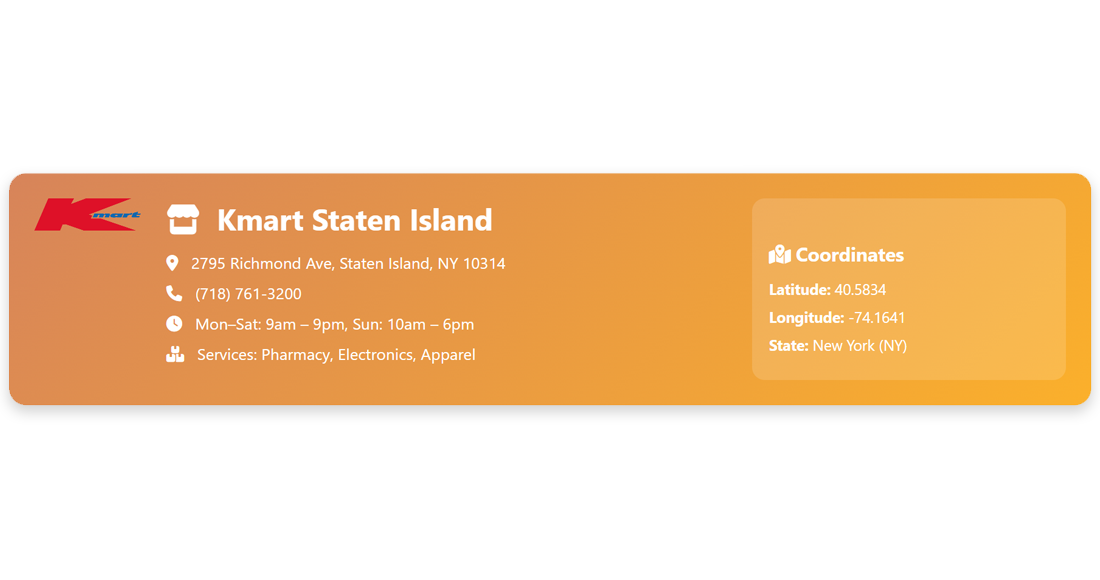
When scraping Kmart store location pages, you should aim to collect:
| Field | Description |
|---|---|
| Store Name | Store title (e.g., Kmart Staten Island) |
| Address | Full physical address (street, city, zip) |
| State/Region | U.S. state (e.g., NY, FL, CA) |
| Phone Number | Contact number for the store |
| Store Hours | Opening and closing times |
| Latitude & Longitude | For mapping and GIS visualization |
| Services Offered | Pharmacy, electronics, clothing, etc. |
3. Is It Legal to Scrape Kmart Store Data?
- Public data scraping is generally legal in the U.S., especially when data is not behind a login or paywall.
- Always check robots.txt: if /store-locator is disallowed, avoid scraping.
- Do not scrape aggressively — use respectful delays, mimic human browsing.
- Use data for analysis and not redistribution.
When in doubt, consult with legal counsel.
4. Where to Find Kmart Store Location Data?
- Official Kmart store locator: https://www.kmart.com/stores.html
- Regional directories: Zip code or state-based pages
- Google Maps Business listings: For precise geolocation
5. Tools and Libraries Required
| Tool/Library | Purpose |
|---|---|
| Python | Main scripting language |
| Requests | Sending HTTP GET requests |
| BeautifulSoup | HTML parsing and data extraction |
| Selenium | For JavaScript-rendered content |
| Pandas | Structuring and exporting data |
| Geopy or Google API | For geolocation (lat/lon) mapping |
6. Step-by-Step Guide to Scrape Kmart Store Locations
6.1 Identify the Target URL Pattern
Kmart’s store directory uses a hierarchy like:
https://www.kmart.com/stores.html
        → https://www.kmart.com/stores/new-york.html
        → https://www.kmart.com/stores/ny/staten-island-3836.html
6.2 Scrape State-Level Store Links
import requests
        from bs4 import BeautifulSoup

        main_url = 'https://www.kmart.com/stores.html'
        response = requests.get(main_url)
        soup = BeautifulSoup(response.text, 'html.parser')

        state_links = []
        for a_tag in soup.select('a[href*="/stores/"]'):
            href = a_tag['href']
            if 'http' not in href:
                state_links.append('https://www.kmart.com' + href)
6.3 Scrape Individual Store Pages
store_data = []

        for state_url in state_links:
            state_res = requests.get(state_url)
            state_soup = BeautifulSoup(state_res.text, 'html.parser')

            for a in state_soup.select('a[href*="/stores/"]'):
                store_url = 'https://www.kmart.com' + a['href']
                store_page = requests.get(store_url)
                store_soup = BeautifulSoup(store_page.text, 'html.parser')

                try:
                    name = store_soup.find('h1').text.strip()
                    address = store_soup.find('span', {'itemprop': 'streetAddress'}).text
                    city = store_soup.find('span', {'itemprop': 'addressLocality'}).text
                    state = store_soup.find('span', {'itemprop': 'addressRegion'}).text
                    zip_code = store_soup.find('span', {'itemprop': 'postalCode'}).text
                    phone = store_soup.find('span', {'itemprop': 'telephone'}).text
                except:
                    continue

                store_data.append({
                    'Store Name': name,
                    'Address': f"{address}, {city}, {state} {zip_code}",
                    'Phone': phone,
                    'State': state
                })
6.4 Save to CSV
import pandas as pd

        df = pd.DataFrame(store_data)
        df.to_csv('kmart_stores.csv', index=False)
7. Optional: Get Geolocation for Mapping
You can enrich your data using Google Maps Geocoding API or geopy.
from geopy.geocoders import Nominatim
        geolocator = Nominatim(user_agent="kmart-scraper")

        for store in store_data:
            location = geolocator.geocode(store['Address'])
            if location:
                store['Latitude'] = location.latitude
                store['Longitude'] = location.longitude
This enables:
- Heatmaps of store density
- Drive-time radius calculations
- Territory visualization
8. Real-World Applications of Kmart Location Data
8.1 Competitor Heat Mapping
Overlay Kmart store data with your own to assess market gaps and oversaturation.
8.2 Regional Performance Analysis
Compare store locations with regional sales, demographics, or footfall data.
8.3 Retail Expansion Planning
Use store density data to find underserved zip codes for new outlets or franchises.
8.4 Geospatial Clustering
Apply machine learning to group stores by traffic potential, income zones, or retail mix.
9. Advanced Techniques
Scraping Updates Periodically
Automate your scraper weekly or monthly with cron jobs to monitor Kmart's footprint over time.
Historical Data Analysis
Maintain snapshots to analyze closures, downsizing, or regional changes over time.
Integrate with Competitor Data
Merge data from other retailers (e.g., Target, Walmart) to study overlap and position.
10. Challenges and How to Overcome Them
| Challenge | Solution |
|---|---|
| JavaScript-rendered content | Use Selenium or Playwright |
| IP blocking | Use proxy rotation services or headless browsing |
| CAPTCHA presence | Bypass with services like 2Captcha (if ethical and legal) |
| Data inconsistency | Add exception handling and retries in code |
Conclusion
Scraping Kmart store locations is more than a data exercise — it’s a smart move for business intelligence, competitive mapping, and strategic retail expansion. By using tools like Python, BeautifulSoup, and geolocation APIs, you can extract valuable location data to empower decision-making, optimize store placement, and strengthen your market presence.
In an age where location analytics determines retail success, investing in store data scraping isn’t just technical — it’s tactical.
