
Scrape Harbor Freight Store Locations USA to Optimize Delivery Routes and Reduce Logistics Costs
Published on September 22, 2025
Introduction
In the fast-paced world of logistics and supply chain management, one element reigns supreme—location intelligence. For businesses dealing in hardware, tools, industrial supplies, or last-mile logistics, understanding where retail stores are located is crucial for route planning and cost control. Among leading tool retailers in the U.S., Harbor Freight Tools has established a substantial footprint, with over 1,400 stores nationwide.
If your company supplies tools, raw materials, or maintenance services—or you’re a distributor seeking optimization—scraping Harbor Freight’s U.S. store locations can dramatically improve your delivery route planning, fleet management, and operational efficiency.
In this blog, we’ll walk through:
- Why and how to scrape Harbor Freight store data
- Tools and techniques to extract the data
- How to use this data to optimize delivery routes
- Real-world applications for logistics cost reduction
1. Why Scrape Harbor Freight Store Locations?
📌 1.1 Delivery Route Optimization
Knowing the exact coordinates and addresses of all Harbor Freight stores allows businesses to:
- Plan optimized delivery paths using route-solving algorithms
- Reduce fuel consumption and delivery time
- Cluster deliveries in high-density regions
📌 1.2 Logistics Cost Reduction
With precise store data:
- Freight carriers can segment routes by region, ZIP code, or delivery windows
- Companies can reallocate fleet resources more efficiently
- Inventory replenishment schedules can be automated and consolidated
📌 1.3 Supply Chain Planning
- Identify nearby warehouses to serve clusters of stores
- Evaluate whether stores are within the same distribution region
- Plan overnight vs. same-day deliveries intelligently
2. Overview of Harbor Freight’s Store Locator
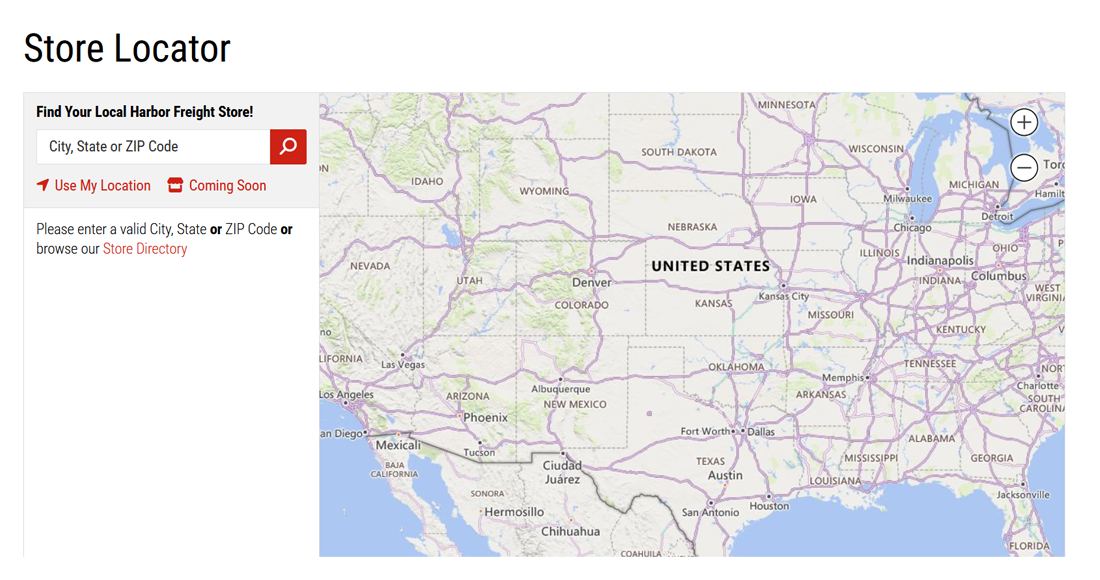
Harbor Freight provides an official store locator at:
🔗 https://www.harborfreight.com/storelocator/
Features include:
- ZIP and city search
- Google Maps-based UI
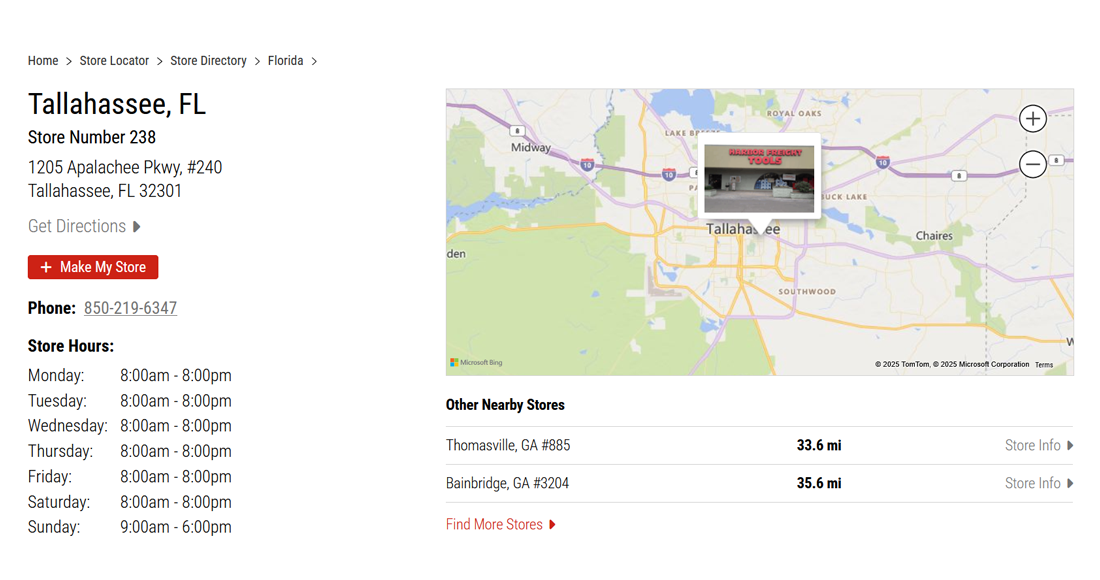
- Popups with store name, hours, address, and services
⚠️ However, data loads dynamically through JavaScript and map APIs, so simple HTML scraping won’t work.
3. What Data to Extract?
When scraping store location data, aim to collect:
| Field | Description |
|---|---|
| Store Name | Usually "Harbor Freight - [City]" |
| Address | Full street address |
| City, State, ZIP | For geospatial sorting |
| Phone Number | For validation or field service |
| Store Hours | Useful for delivery scheduling |
| Latitude/Longitude | For GIS mapping and routing engines |
| Store ID (if found) | For internal tracking or future automation |
4. Tools and Libraries Needed
| Tool | Purpose |
|---|---|
| Python | Main scripting language |
| Selenium | To render dynamic content via browser automation |
| BeautifulSoup | Parse static HTML blocks if needed |
| Pandas | Organize and export data |
| Geopy or Map APIs | Convert address to coordinates (optional) |
| OR-Tools/Folium | For route optimization and mapping |
5. How to Scrape Harbor Freight Store Data
🛠️ Step 1: Analyze the Website’s Network Requests
Open Chrome DevTools:
- Go to https://www.harborfreight.com/storelocator/
- Enter a ZIP code (e.g., 90210)
- Watch the Network tab
- Look for XHR or Fetch requests loading stores
You may find API calls like:
https://www.harborfreight.com/storelocator/stores?search=90210🧪 Step 2: Extract JSON from the API
Try making the same request in Python:
import requests
            import pandas as pd

            url = "https://www.harborfreight.com/storelocator/stores?search=90210"

            response = requests.get(url)
            store_data = response.json()

            stores = []
            for item in store_data['stores']:
                stores.append({
                    'Store Name': item['name'],
                    'Address': item['address']['line1'],
                    'City': item['address']['city'],
                    'State': item['address']['state'],
                    'ZIP': item['address']['postalCode'],
                    'Phone': item['phone'],
                    'Latitude': item['latitude'],
                    'Longitude': item['longitude']
                })

            df = pd.DataFrame(stores)
            df.to_csv("harborfreight_stores.csv", index=False)
Repeat for multiple ZIPs to build a nationwide database.
🔁 Step 3: Loop Through ZIP Codes
Use a ZIP code list to automate the scraping:
with open("zip_codes.txt") as f:
                zip_list = f.read().splitlines()

            for zip_code in zip_list:
                url = f"https://www.harborfreight.com/storelocator/stores?search={zip_code}"
                response = requests.get(url)
                # parse and append as before

            # Avoid duplicates by storing store IDs or exact lat/lon.
6. Optimizing Delivery Routes with the Data
🚚 Step 1: Group by Region
Group stores based on:
- State
- Distribution warehouse proximity
- ZIP code ranges
This helps create regional delivery routes.
🗺️ Step 2: Calculate Optimal Routes
Use Google OR-Tools or Mapbox Optimization API to:
- Minimize total miles driven
- Reduce delivery windows
- Balance truck loads
from ortools.constraint_solver import routing_enums_pb2
            from ortools.constraint_solver import pywrapcp

            # Provide distance matrix and define start/end locations
            # Use latitude/longitude pairs to generate haversine distances

            # Run OR-Tools VRP algorithm to find minimal cost route
🧭 Step 3: Visualize Routes on Map
Use Folium or Plotly in Python:
import folium

            map = folium.Map(location=[37.0902, -95.7129], zoom_start=5)

            for _, row in df.iterrows():
                folium.Marker(
                    location=[row["Latitude"], row["Longitude"]],
                    popup=row["Store Name"]
                ).add_to(map)

            map.save("harborfreight_routes.html")
This helps fleet teams and planners see delivery paths geographically.
7. Real-World Use Cases
🔄 7.1 Automated Replenishment
- Set daily/weekly restocking routes
- Trigger delivery based on store inventory + location proximity
🔌 7.2 Field Technician Dispatching
- Assign field agents to stores nearest to their zone
- Enable just-in-time equipment replacement or installation
🧱 7.3 Warehouse-to-Store Mapping
- Use geolocation to assign each store to its closest warehouse
- Recalculate in real-time during roadblocks or weather events
🔗 7.4 Last-Mile Optimization
- For 3PLs or e-commerce logistics, group stores within same city or county
- Batch delivery schedules for reduced mileage
8. Challenges and Solutions
| Challenge | Solution |
|---|---|
| API rate limiting | Add time.sleep() delays or rotate ZIPs slowly |
| Duplicate store entries | Use unique lat/lon or store IDs for deduplication |
| Address parsing inconsistencies | Standardize with regex or use Google’s Geocoder API |
| Large-scale ZIP iteration | Use USPS or Census master ZIP list for batch scraping |
9. Ethical and Legal Considerations
✅ Scraping public store location data is legal and widely accepted, provided you:
- Respect robots.txt (Harbor Freight permits storelocator scraping)
- Don’t scrape at high frequency (set polite delays)
- Use data for internal business use only
For redistribution or commercial API creation, seek permission.
Conclusion
Scraping Harbor Freight store locations is more than just a data-gathering exercise—it’s a logistics optimization strategy. With a clean, accurate store dataset, you can:
- Reduce delivery costs
- Streamline routing
- Increase driver productivity
- Improve customer experience by ensuring stores are always stocked
From automated dispatching to regional freight planning, location data fuels smarter operations. In a supply chain world driven by speed and cost-efficiency, this kind of intelligence can deliver serious ROI.
Route Example
Route::get('/web-scraping-holiday-deals-for-tracking-prices', function () {
                return view('pages.blogs.web-scraping-holiday-deals-for-tracking-prices');
            })->name('web-scraping-holiday-deals-for-tracking-prices');
