
How To Do Zomato Web Scraping with BeautifulSoup and Python?
Published on September 10, 2025
Introduction
Web scraping helps automate the extraction of Zomato restaurant data like menus, ratings, reviews, and pricing. With Python and BeautifulSoup, you can systematically collect structured data for business insights, competitive analysis, or research purposes. This guide provides a complete, step-by-step tutorial including setup, scraping logic, challenges, and best practices.
1. Understanding Web Scraping and Why Use It for Zomato?
1.1 What is Web Scraping?
Web scraping involves programmatically requesting web pages, parsing HTML, and extracting relevant data.
1.2 Why Scrape Zomato?
- Analyze customer preferences and sentiment
- Monitor competitor pricing and offers
- Track trending cuisines and dishes
- Build recommendation engines or apps
2. Tools You Need for Zomato Web Scraping
- Python 3.x
- Requests (HTTP library)
- BeautifulSoup (HTML parser)
- Pandas (data storage & manipulation)
- Jupyter Notebook (optional)
Installing Libraries
pip install requests beautifulsoup4 pandas
3. Understanding Zomato’s Website Structure
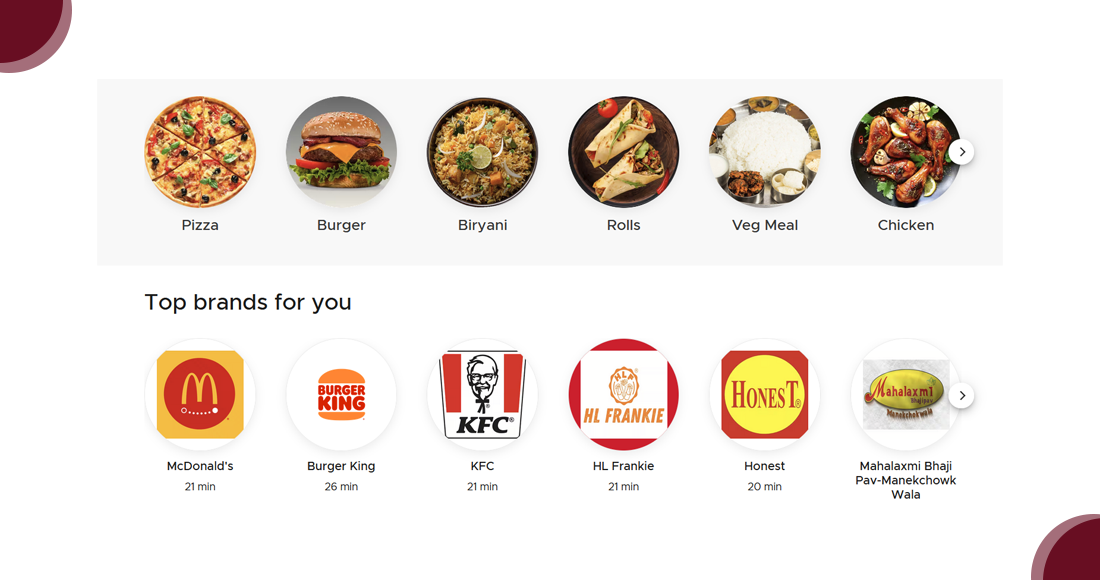
Restaurant listings contain multiple cards, while individual restaurant pages include details like menu, ratings, and reviews. Inspect elements with browser dev tools to find HTML tags and classes.
4. Step-by-Step Guide to Scraping Zomato with BeautifulSoup
4.1 Fetching the Webpage
import requests
from bs4 import BeautifulSoup

url = 'https://www.zomato.com/ncr/restaurants?page=1'
headers = {'User-Agent': 'Mozilla/5.0'}

response = requests.get(url, headers=headers)
html_content = response.text
4.2 Parsing HTML
soup = BeautifulSoup(html_content, 'html.parser')
4.3 Extracting Restaurant Info
restaurants = soup.find_all('div', class_='search-card')

for restaurant in restaurants:
    name = restaurant.find('a', class_='result-title').text.strip()
    cuisine = restaurant.find('div', class_='cuisine').text.strip()
    rating = restaurant.find('div', class_='rating-popup').text.strip()
    location = restaurant.find('div', class_='search-result-address').text.strip()

    print(name, cuisine, rating, location)
4.4 Scraping Multiple Pages
for page in range(1, 6):
    url = f'https://www.zomato.com/ncr/restaurants?page={page}'
    response = requests.get(url, headers=headers)
    soup = BeautifulSoup(response.text, 'html.parser')
    restaurants = soup.find_all('div', class_='search-card')
    # extract details...
5. Scraping Individual Restaurant Pages
5.1 Extract URLs
for restaurant in restaurants:
    link = restaurant.find('a', class_='result-title')['href']
    print(link)
5.2 Fetch Details
restaurant_url = 'https://www.zomato.com/ncr/restaurant-name'
response = requests.get(restaurant_url, headers=headers)
soup = BeautifulSoup(response.text, 'html.parser')

menu_items = soup.find_all('div', class_='menu-item-name')
for item in menu_items:
    print(item.text.strip())
6. Saving the Scraped Data
import pandas as pd

data = []
for restaurant in restaurants:
    data.append({
        'Name': name,
        'Cuisine': cuisine,
        'Rating': rating,
        'Location': location
    })

df = pd.DataFrame(data)
df.to_csv('zomato_restaurants.csv', index=False)
7. Handling Common Challenges
- Anti-scraping (IP blocking, CAPTCHAs, dynamic content)
- Website structure changes
- Rate limiting – add delays
8. Ethical Considerations and Compliance
- Respect robots.txt and ToS
- Avoid scraping personal user data
- Use scraped data responsibly
9. Advanced Techniques and Next Steps
- Use Selenium for JavaScript-rendered content
- Apply NLP on reviews
- Integrate with databases for scalability
Conclusion
Scraping Zomato with Python & BeautifulSoup unlocks insights into restaurant trends, customer behavior, and competitive strategy. With ethical and technical care, this technique empowers businesses, developers, and analysts to make smarter data-driven decisions in the food tech ecosystem.
